Free for 30 days · No card
Install Helix and ask
your first question.
Helix runs on your own Mac or Windows computer. Download it, open it, pick one folder, and ask. This page walks you through each step, including the warning your computer shows the first time.
Prefer to watch? The setup video, 1:19 →
- 1 DownloadOne file, about 33 MB
- 2 Open itApprove it once, then it opens normally
- 3 Start your trialName and email, no card
- 4 Pick one folderA live project works best
- 5 Ask"Summarise where things stand."
A Mac or a Windows PC with 8 GB of memory or more, and a few GB of free space for the local AI model.
More memory lets Helix use a bigger model; the largest need 32 GB. Linux is not available yet.
Folders and files on your computer, meeting recordings, and Microsoft 365 (mail, OneDrive, calendar, Teams).
Google Workspace is not available yet; it will come as an app update. On Google, start with a folder of your files.
Needed during setup, to download the local AI model (1 to 2 GB).
After that, the work happens on your computer. Only an update check and a licence check go out on their own.
Step by step
Install on your computer
- 1
Download
The button above downloads the Helix disk image (about 33 MB).
- 2
Move it to Applications
Open the file you downloaded and drag Helix into the Applications folder.
- 3
Open it the first time
Helix is not signed by Apple yet, so macOS stops it once. Right-click Helix in Applications and choose Open. If Open is not offered, go to System Settings, then Privacy & Security, scroll down and click Open Anyway.
This warning is expected. It appears because the app is not signed yet. You only approve it once.

"Helix" can't be opened because Apple cannot check it.
Move to BinDonePrivacy & Security
"Helix" was blocked Open AnywayIllustration. The wording varies by macOS version. - 4
Start your 30 days
Enter your name and email. No card, and no account to create.
- 1
Download
The button above downloads the Helix zip (about 36 MB).
- 2
Unzip it
Right-click the zip you downloaded, choose Extract All, and open the Helix folder it creates. Run it from that folder, not from inside the zip.
- 3
Open it the first time
Helix is not signed by Microsoft yet, so Windows SmartScreen shows a warning once. Click More info, then Run anyway.
This warning is expected. It appears because the app is not signed yet. You only approve it once.
Windows protected your PC
Microsoft Defender SmartScreen prevented an unrecognised app from starting.
More info
Run anywayDon't runIllustration. Run anyway appears after you click More info. - 4
Start your 30 days
Enter your name and email. No card, and no account to create.
Once it is open
Your first ten minutes
Pick one folder
Choose one live project folder with quotes, notes or exported mail in it. Every source is off until you switch it on. Microsoft 365 can come later with one sign-in. While you do this, Helix downloads its local AI model.
Ask one question
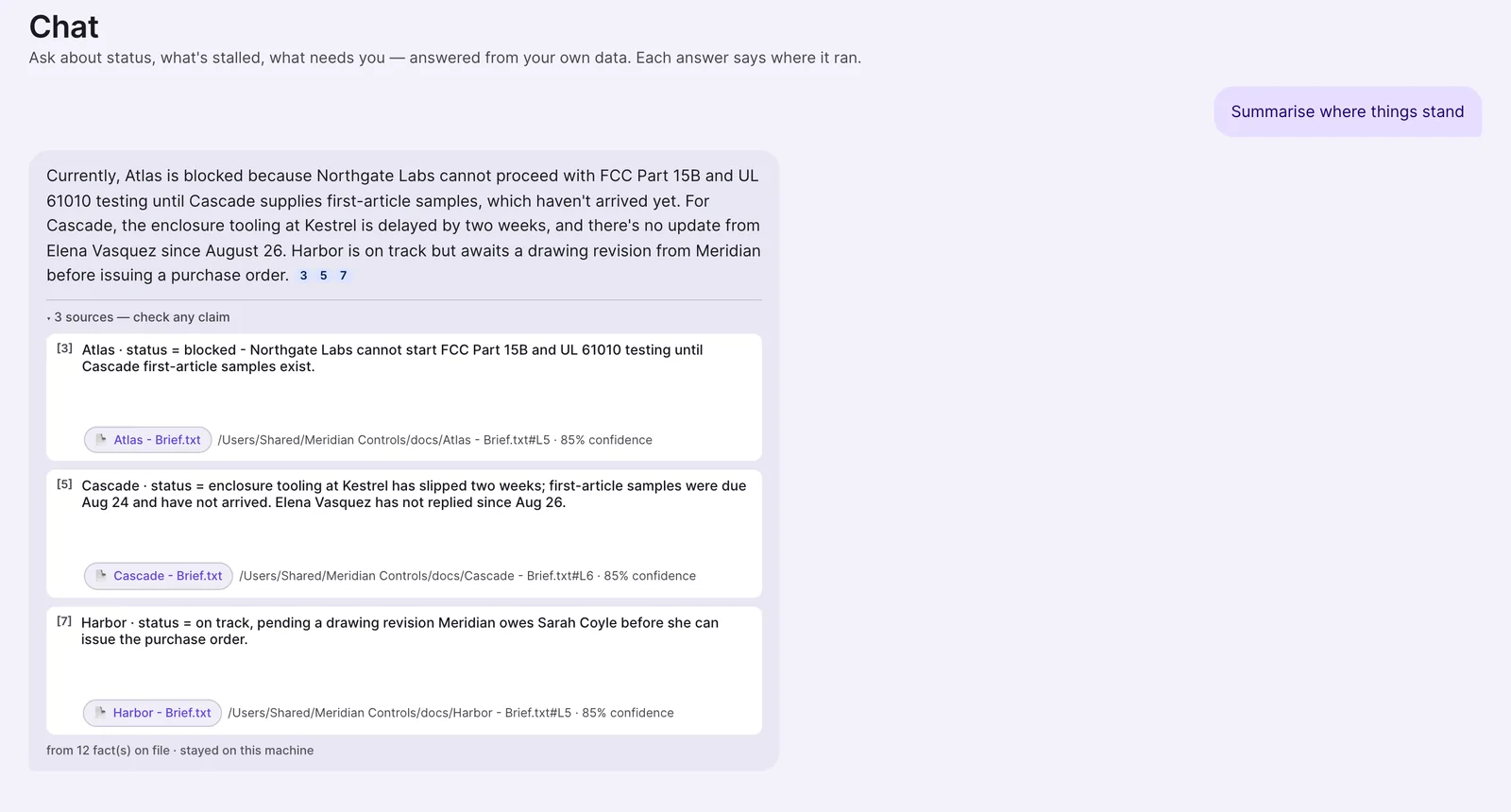
Type "Summarise where things stand." The answer lists numbered sources. Click one to open the file it came from.
Open Today, then Transparency
Today lists what needs you, each line with its file. Transparency shows every AI call, where it ran, and what left your computer.
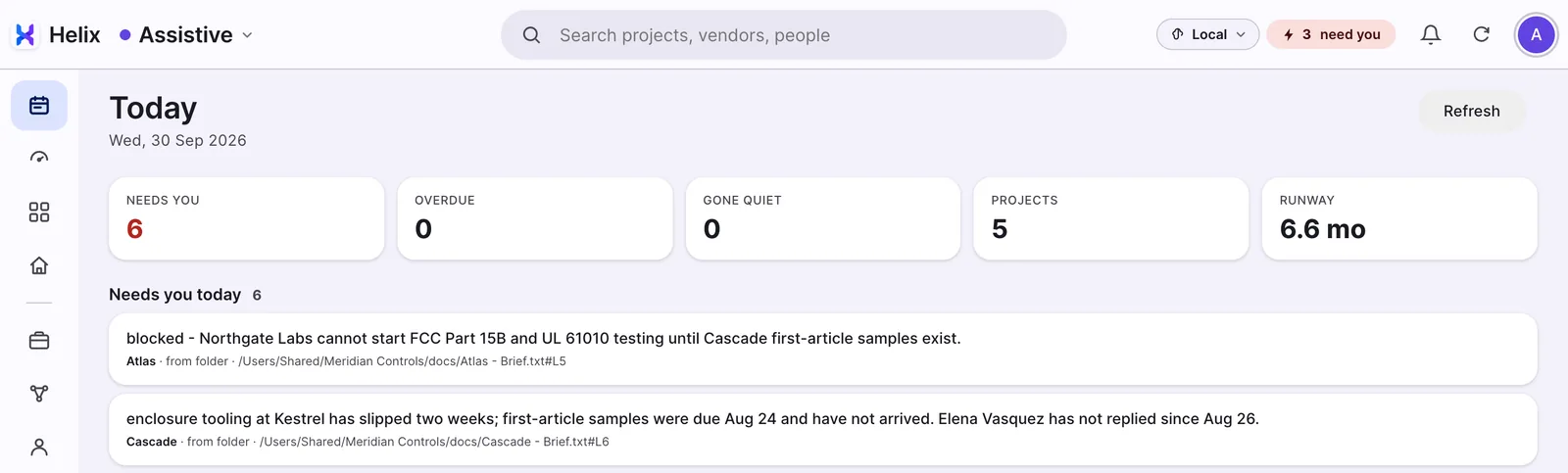
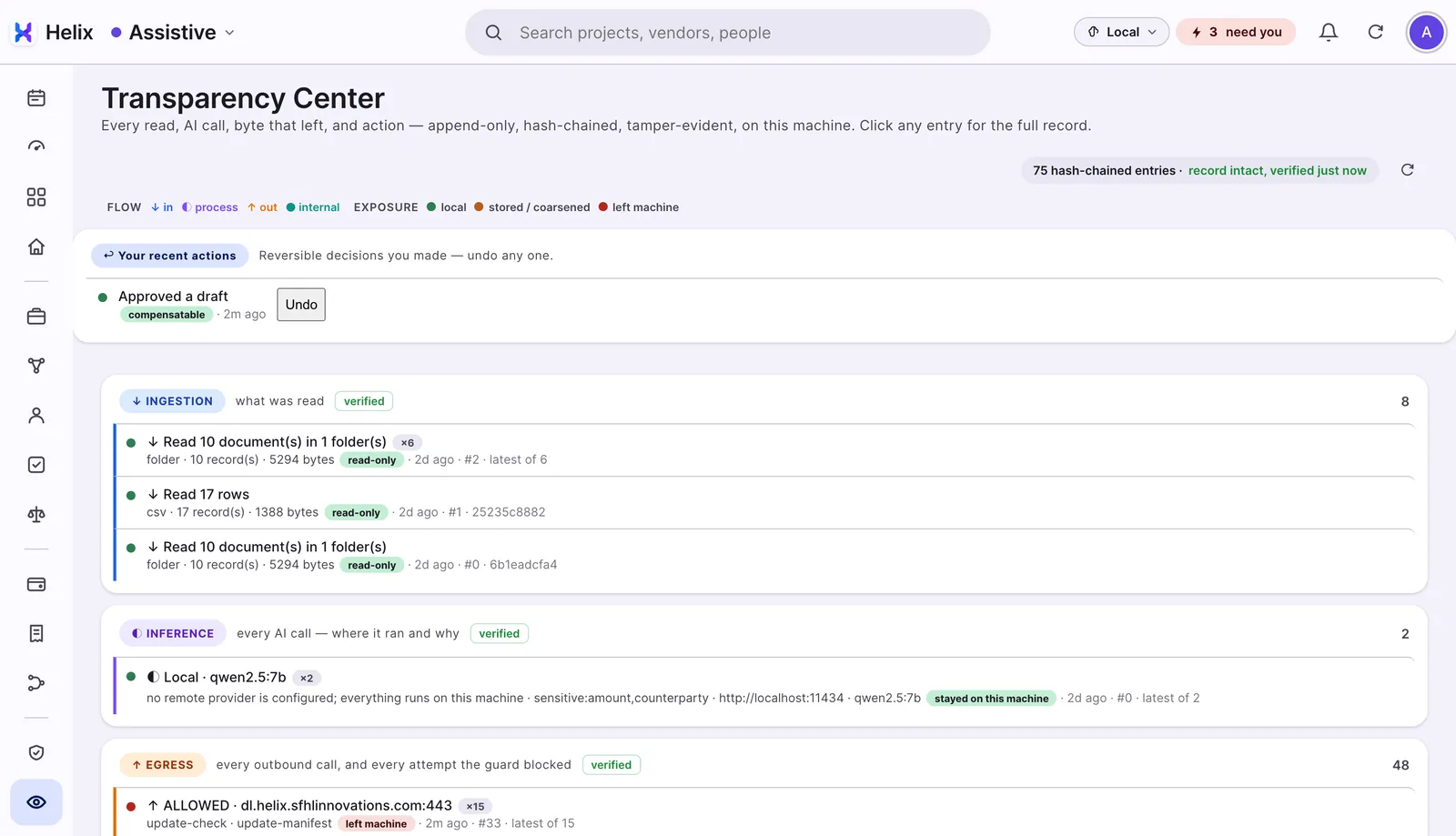
If Today is still empty after ten minutes, check in Settings that the folder is switched on, or add a second folder. A whole mailbox takes longer to read. The screens above are from a demo company.
If you get stuck
Help with setup
Book 30 minutes and we will set it up with you, or write to us.
Is the first-open warning safe to accept?
Yes, for Helix downloaded from this page. It appears for any app that is not yet signed by Apple or Microsoft. Signing is in progress; until then, your computer shows this warning the first time.
What does Helix read?
Only the sources you switch on, and you can switch any of them off at any time. Switching a source off withdraws what it added.
What happens after 30 days?
We'll ask whether you'd like to continue, and agree a price that fits your business. Nothing is charged automatically. Feedback sent from inside Helix adds 10 free days, up to twice.
How do I remove it?
Delete the app. Deleting its data folder removes everything Helix stored on your computer.
Helix on my Mac can't connect or update. What do I do?
Install Helix 1.9.2 by hand. On many Macs, Helix 1.9.1 and earlier couldn't make secure connections, so it can't fetch the update itself. Nothing was sent; the connections just failed. Quit Helix, download Helix for Mac above, open the file and drag Helix into Applications, choosing Replace. Your documents, settings and licence stay as they were.
Try Helix on one folder.
Free for 30 days. No card.
Free for 30 days · No card · Mac and Windows