Why Helix
Give up your data, or give up your speed.
Helix removes the question. It is AI that operates for your business, on your own computer.
See it working
The real app, on demo data.
The film shows some features that are on the way; the lists below say what works today. In the other two videos, the data on screen is a demo company. Helix Go is an Android test build. More on Watch.
The choice
Today, businesses pick one of these.
Cloud AI
- Strong models
- Data leaves the business
- Tied to one vendor
- Mostly a chat window
Keep your data without giving up speed
No AI at all
- Data stays in
- Staff do it all by hand
- Excel holds the process
- Knowledge leaves with people
How it works
From plain words to business workflows
- Install
Helix picks and installs local AI models that fit your machine.
- Connect
Folders you pick, or Microsoft 365.
- It maps
People, projects and suppliers, within hours.
- It acts
What needs you, with drafts ready to go.
- It learns
Your writing style, from edits you approve.
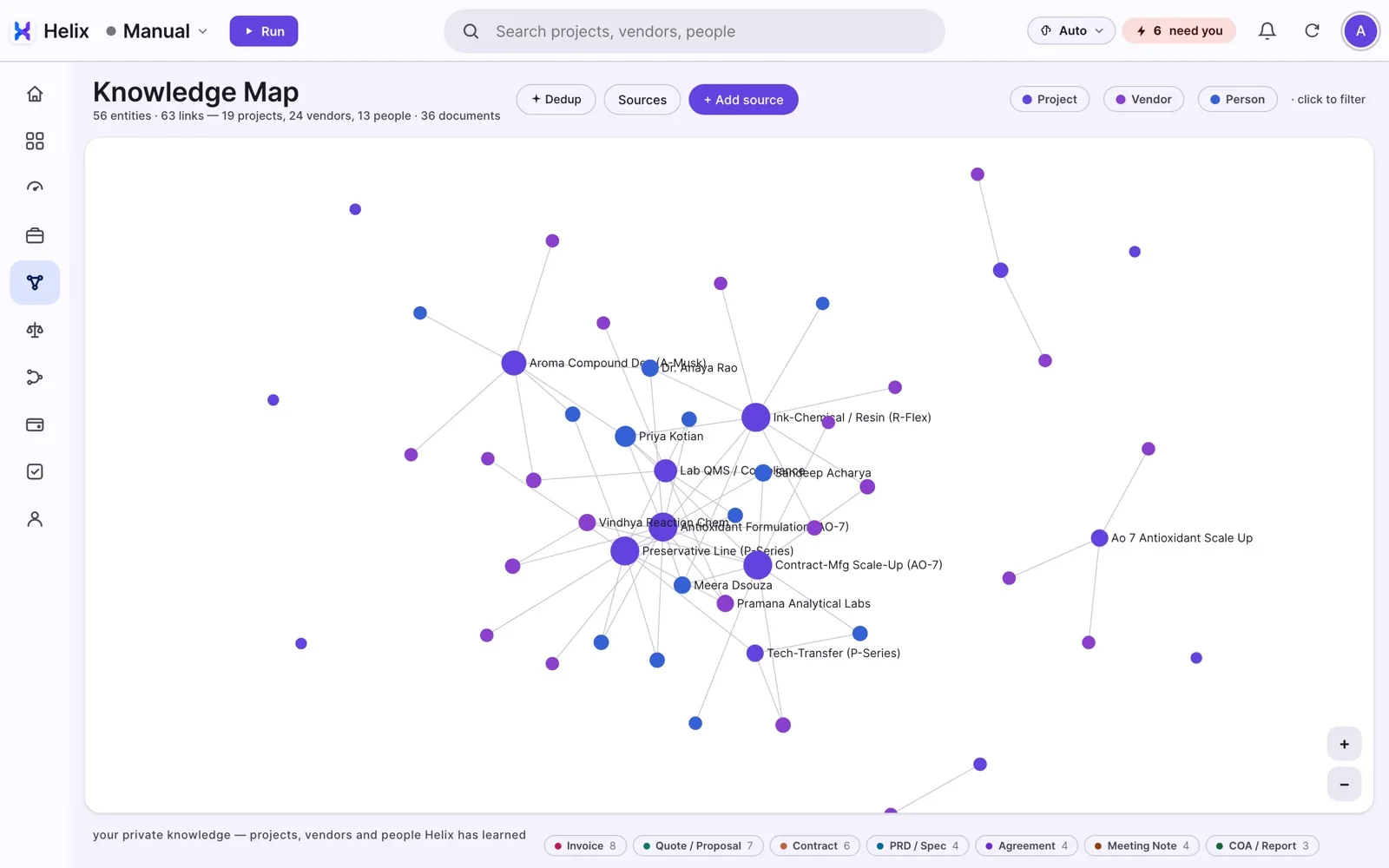
The Knowledge Map, on demo data. Mac today.
It does the job
Every answer shows its source. Nothing sends until you approve.
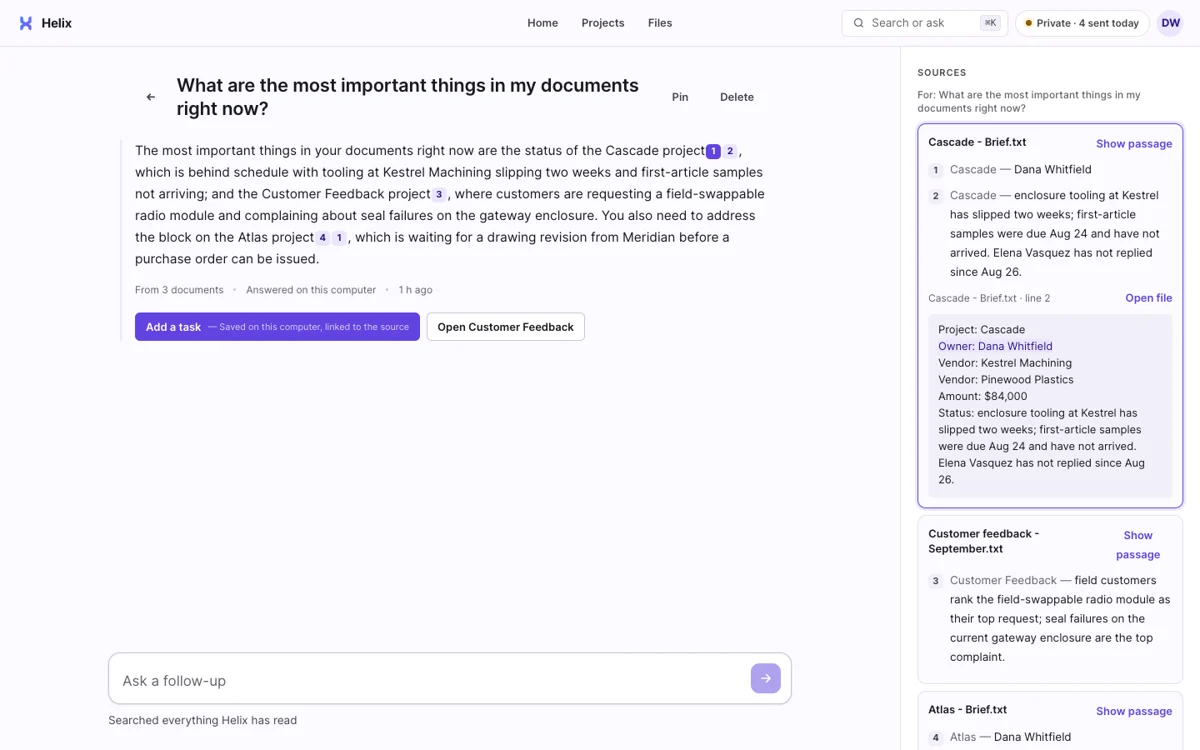
No source, no answer. It says when it does not know.
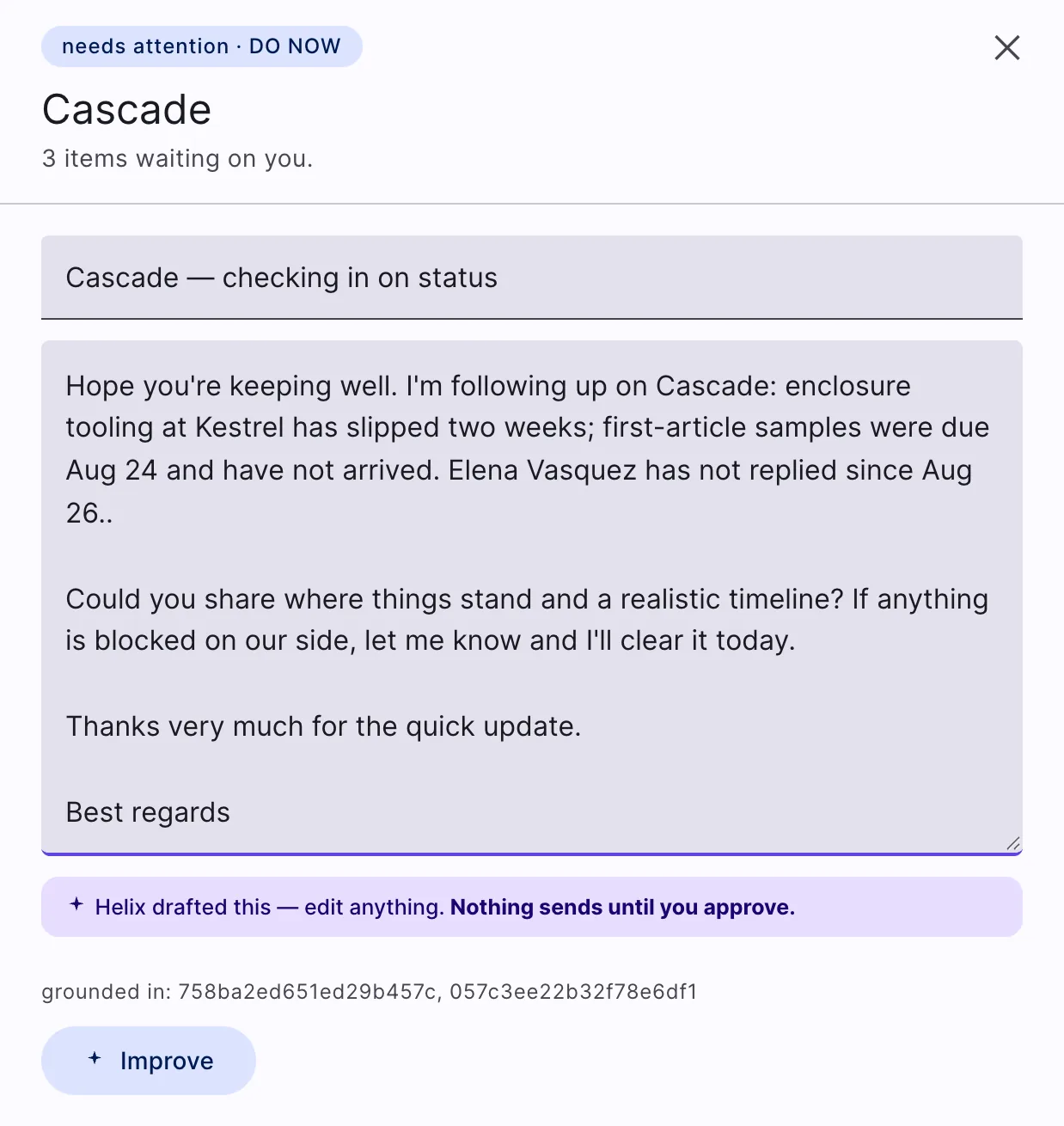
A draft ready for you to edit and approve.
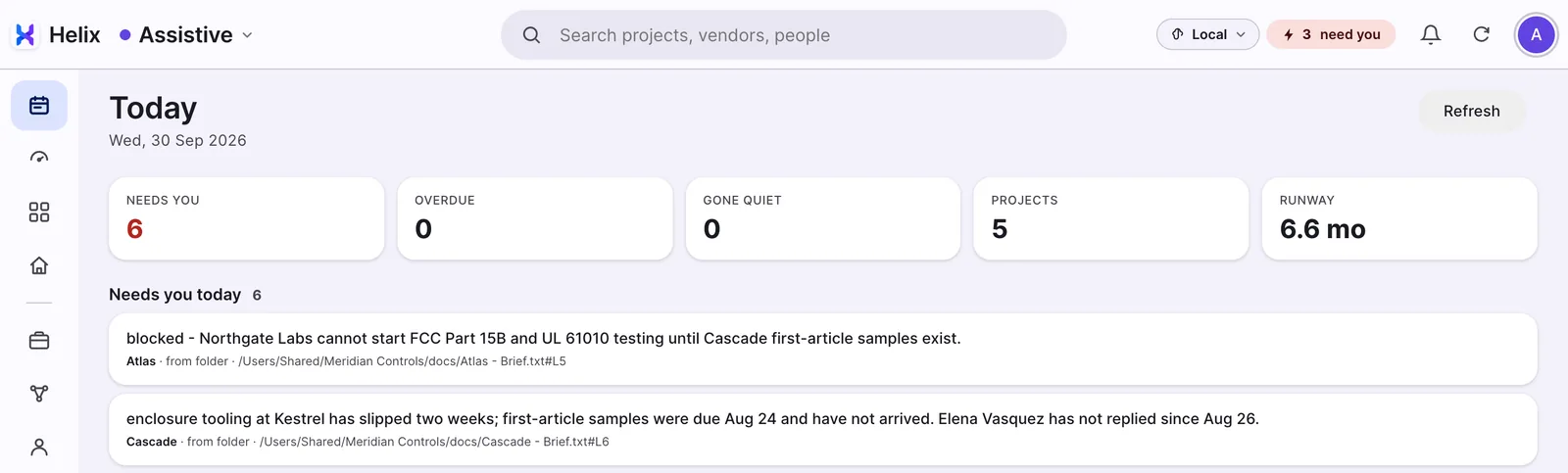
Every morning, Helix shows what needs you.
Workflows
One job, from request to payment.
Helix doesYou decideExample: procurement
Local automations
Everyday work runs on your own machine.
Helix runs when your computer is idle and pauses when you are using it
It learns
Helix learns style from edits you approve
learns
Email stays email. Nobody changes how they work
What it learns stays on your computer
On the road
Start on your computer. Pick up on your phone.
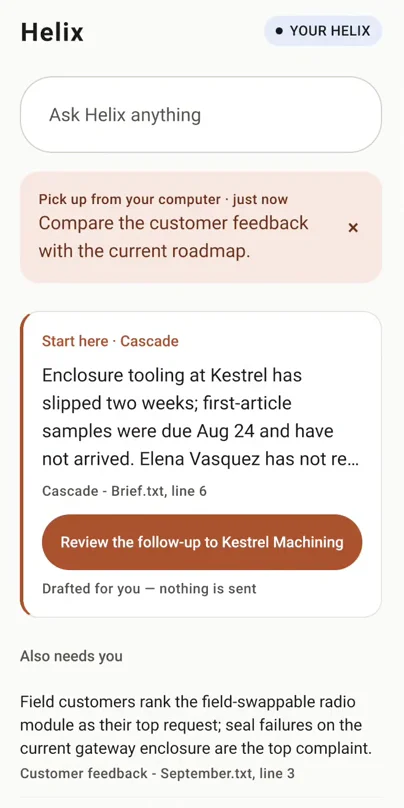
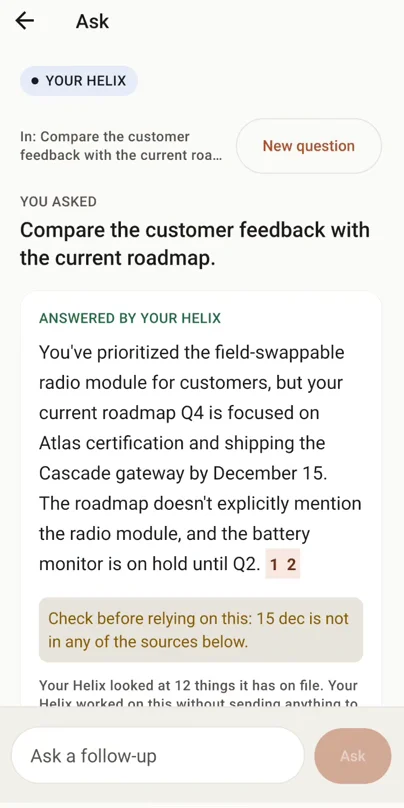
Control
You decide what leaves. Helix keeps the record.
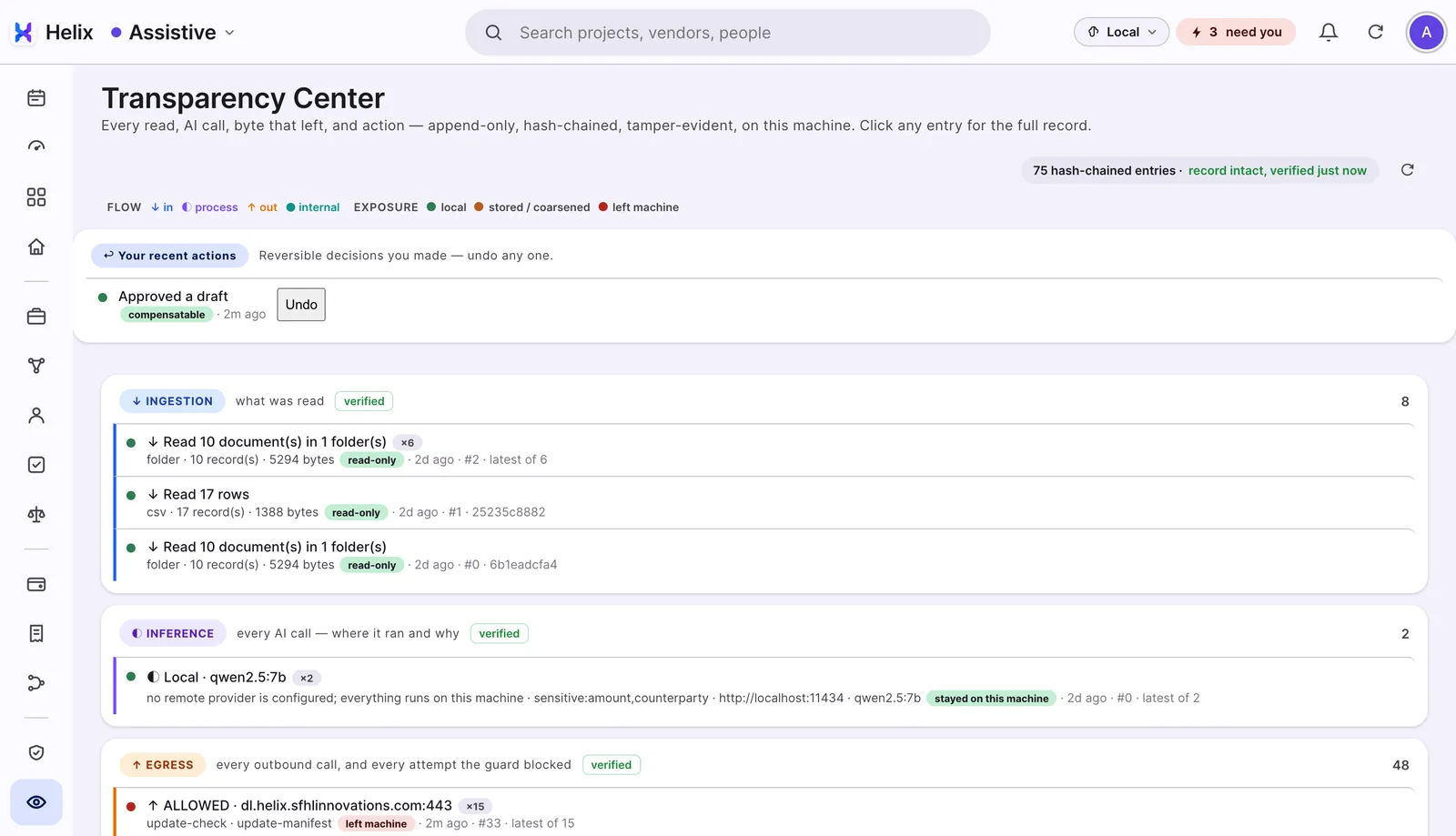
The Transparency view, on demo data.
Where it fits
For teams handling quotes, approvals and follow-ups
ChatGPT, Microsoft Copilot
Pharma and healthcare
Chemicals and manufacturing
Financial services
Teams with repetitive work, and data they cannot send outside.
Where things stand
What works today, and what is coming.
Works today
- Mac and Windows
- Sets up its own local AI, sized to your computer
- Microsoft 365: mail, files, calendar and Teams chat
- Folders and files you pick
- Today: what needs you, with the source of every line
- Ask questions and get answers with numbered sources
- Follow-up emails drafted for you to send
- Meeting recordings transcribed on your computer and turned into tasks
- A board of your projects
- Knowledge Map of projects, suppliers and people (Mac)
- Transparency view of every AI call and every outbound call
- Your own key for Claude, ChatGPT, Gemini or Grok, if you want one
Coming
- Google Workspace (built, being tested)
- Signed installers (not yet; removes the first-open warning)
- Windows on the latest release (Mac gets each release first)
- Team use (today each person runs their own copy)
- Independent security audit (planned)
- Procurement, start to finish
- Expense reports from a receipt photo